 blog
blog
Cloud Data Warehouse for Retail Analytics: 2026 Guide
Last Updated: October 24, 2026
Quick Summary
A cloud data warehouse for retail analytics stores structured sales, inventory and customer data from POS, ecommerce, ERP and CRM systems in one queryable place, so reporting stops depending on spreadsheet exports and manual joins. It becomes your single source of truth, letting BI tools query that data directly.
- Retailers typically pull warehouse data from six source types, including POS, ecommerce, ERP, scheduling, CRM and accounting systems.
- Build the ETL pipeline for seasonal peaks, not the average, using incremental loads and overnight full refreshes.
- Match online and in-store customers with a loyalty ID first, then add email matching with caution.
- Compute, not storage, is where retail budgets break, especially when pipelines are sized for quiet months.
- Score each warehouse provider against your own retail data volumes, not the vendor's demo dataset.
Table of Contents
- Why Retailers Need a Cloud Data Warehouse for Analytics
- Retail Analytics Use Cases That Justify the Investment
- How to Connect Retail Systems to a Data Warehouse
- Building a Retail ETL Pipeline That Handles Seasonal Peaks
- Ecommerce Data Warehouse: Unifying Online and In-Store Sales
- What a Cloud Data Warehouse Costs and How to Avoid Bill Shock
- Choosing a Cloud Data Warehouse Without a Data Engineering Team
- Conclusion
- Frequently Asked Questions
Why Retailers Need a Cloud Data Warehouse for Analytics
Retailers generate sales data every hour, from every till, app and marketplace.
At Rapid Jaguar, we see the same pattern across small and mid-sized retailers: point-of-sale data lives in one system, ecommerce orders in another, labor schedules in a third, and marketing spend in a fourth.
That is the core problem a warehouse solves. It stores structured sales, inventory and customer data in one location, then lets business intelligence tools query it directly. The warehouse becomes your single source of truth.
Three pressures push retailers toward this now:
- Data volume grows faster than teams do. A ten-person operations team cannot manually reconcile thousands of daily transactions across channels.
- Seasonal peaks break manual reporting. Holiday trading multiplies order volume, and hand-built reports collapse under the load.
- Finance and operations want the same numbers. When sales data, inventory data and CRM data disagree, decision-making stalls.
A warehouse does not fix bad processes. It does make good questions answerable.
Retail Analytics Use Cases That Justify the Investment
Retail analytics use cases fall into four groups: sales performance, inventory health, customer behavior and labor efficiency. Each one needs data from more than one system, which is exactly why a warehouse earns its place.
Sales performance reporting. Compare revenue, margin and basket size by store, channel, product line and week.
Inventory and stock health. Track sell-through, slow movers and stockouts by location. Inventory data from your POS and ERP systems combines with sales history to show what to reorder and what to discount.
Customer analytics. Build repeat-purchase rates, lifetime value and cohort retention from CRM data and transaction history. Marketing teams use these numbers to target campaigns instead of guessing.
Labor and scheduling analysis. Match staffing hours against hourly sales to spot over- and under-staffed shifts. Retailers running scheduling apps alongside POS systems often find this is the fastest win.
How to Connect Retail Systems to a Data Warehouse
Connecting retail systems to a warehouse means extracting data from each source, loading it into the warehouse, and scheduling that process to repeat automatically. The work is less about tools and more about knowing your data sources.
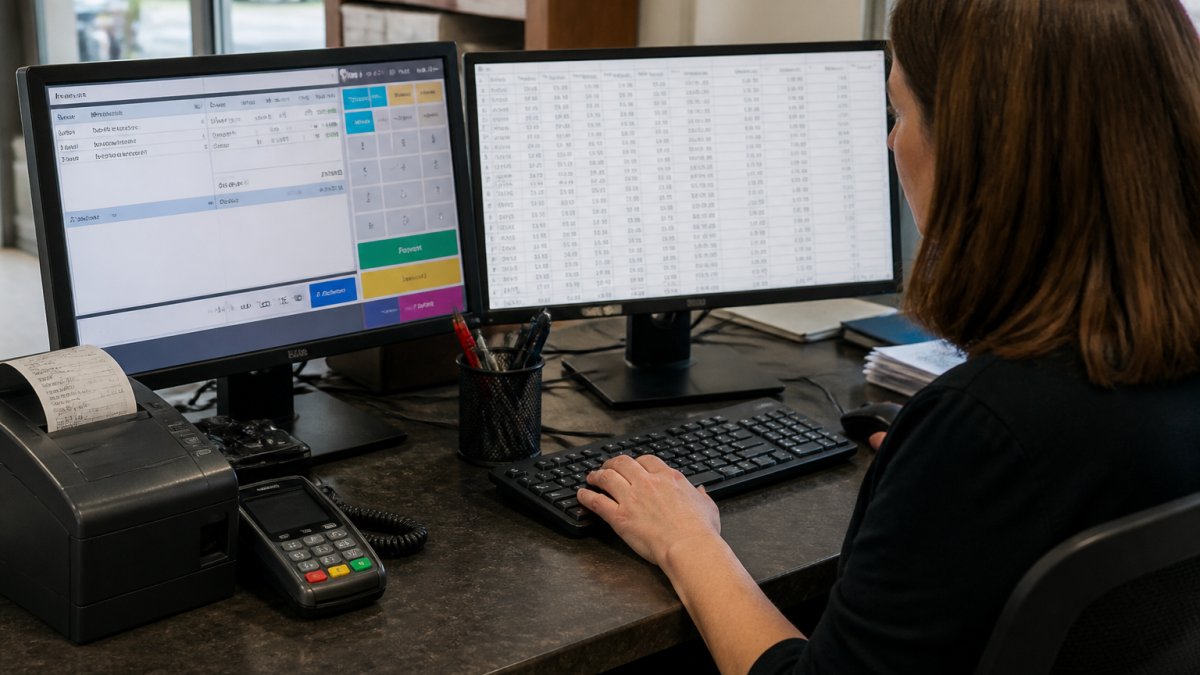
Most retailers pull from six source types:
- Point-of-sale systems (Square, Toast and similar) for transactions, refunds and tenders
- Ecommerce platforms for orders, carts, customers and product catalogs
- ERP or inventory systems for stock levels, purchase orders and cost of goods
- Scheduling and labor apps for shifts, hours worked and wage costs
- CRM and marketing platforms for customer records, campaigns and attribution
- Accounting software for invoices, payments and margin reconciliation
A common mistake is treating each source as equally reliable. In practice, POS data is usually cleanest, ecommerce data is well-structured, and scheduling exports are often messy. Profile each source before you build anything.
The connection method matters too. Direct API connections keep data fresh but need maintenance when vendors change their endpoints. Scheduled file exports are simpler and more stable, but data arrives later. For most SMB retailers, a mix of both works fine.
Building a Retail ETL Pipeline That Handles Seasonal Peaks
A retail ETL pipeline extracts data from source systems, transforms it into consistent formats, and loads it into the warehouse on a schedule. The design question that matters most is how it behaves when volume spikes.
Seasonal trading is the test. A pipeline that runs comfortably in a quiet February can time out in the week before a major holiday. Build for the peak, not the average.
Practical steps that hold up under load:
- Schedule heavy loads outside trading hours. Run full refreshes overnight; keep incremental loads during the day.
- Load incrementally, not fully. Only pull new or changed records instead of re-extracting entire tables.
- Separate raw and transformed layers. Land raw data first, then transform it. If a transformation breaks, you still have the source data.
- Set concurrency limits. Too many parallel jobs slow each other down and inflate compute costs.
- Add data quality checks. Flag null order IDs, negative quantities and duplicate transactions before they reach dashboards.
Ecommerce Data Warehouse: Unifying Online and In-Store Sales
An ecommerce data warehouse is a centralized store for online order, customer and product data, built so it can be joined with in-store transactions. The goal is one customer view, not two competing reports.
The joining problem is real. Online orders carry email addresses and session data. In-store transactions often carry a loyalty card or nothing at all. Matching them requires a consistent customer key, which many retailers do not have on day one.
Three approaches work in practice:
- Loyalty ID as the key. Where customers identify themselves at checkout, loyalty numbers link online and in-store purchases cleanly.
- Email matching with caution. Email joins work when the same address is used in both channels, but expect gaps for guest checkouts.
- Channel-level reporting first. Report online and in-store separately, then add a combined view once identity matching is reliable.
Product data needs the same treatment. SKUs, variants and bundles often differ between your ecommerce catalog and your POS product list. A warehouse gives you one product dimension table to reconcile them.
What a Cloud Data Warehouse Costs and How to Avoid Bill Shock
Cloud warehouse costs depend on storage volume, compute usage and how often queries run.
Most cloud warehouses bill on two meters: storage (what you keep) and compute (what you run). Some add separate charges for ingestion, transformation, concurrency or egress. For a retailer, the useful exercise is not comparing headline rates but mapping each cost line to a retail workload.
Storage. Retail fact tables, transactions, line items, inventory snapshots, clickstream events, grow steadily.
Compute. This is where retail budgets break. Compute is consumed by queries, transformations and loads, and it spikes exactly when trading spikes.
Ingestion and transformation. Per-row or per-job charges add up when every POS terminal, ecommerce order and inventory sync is loaded individually.
Concurrency. Dashboard tools that refresh every few minutes, or dozens of analysts running ad-hoc queries at once, can force a warehouse to spin up extra compute.
A retail scenario makes the trade-offs concrete.
A simple control checklist:
- Set a monthly budget alert on your warehouse account
- Review the top ten most expensive queries each month
- Pause or resize compute during closed hours
- Partition large tables by date and cluster by store or channel
- Audit pipelines quarterly for duplicates
- Model seasonal peaks explicitly and test load jobs against peak volumes before the season starts
Choosing a Cloud Data Warehouse Without a Data Engineering Team
Choosing a warehouse without a data engineering team comes down to managed service, setup time and support. If nobody on staff writes SQL pipelines, the platform has to do more of the work for you.
Evaluate providers against these retail workloads:
| Retail workload | What to check | Why it matters |
|---|---|---|
| High-volume transactions | Incremental load support, partitioning by date, clustering by store/channel | Daily POS and ecommerce loads must stay fast as history grows |
| Seasonal peaks | Elastic compute, workload isolation, queue management | Holiday trading multiplies volume; pipelines must not time out |
| Inventory analysis | Snapshot handling, slowly changing dimensions, joins across ERP and POS | Stock levels change daily; naive models overwrite history |
| Omnichannel reporting | Cross-source joins, customer identity handling, product dimension reconciliation | Online and in-store data rarely share keys out of the box |
| Concurrency | Role-based access, query queues, per-team compute | Store managers, merchandisers and finance query the same tables |
| Governance | Row-level security, retention controls, data residency | Customer and loyalty data carry consent and privacy obligations |
Beyond the workload table, four practical criteria separate platforms for a small retail team:
- Managed infrastructure. Who handles upgrades, scaling and patching? A managed service shifts that burden off a team that has no data engineer.
- Connector coverage. Does the platform connect natively to your POS, ecommerce, ERP, scheduling and CRM systems, or will you need custom integrations?
- Setup time to first dashboard. Days versus months matters when the team is already stretched.
- Support model. Who do you call when a nightly load fails at 2 a.m. during peak season?
This is where Rapid Jaguar fits. We provide managed data warehousing infrastructure for retailers and hospitality businesses, including data storage, retrieval and organization, so operations teams get reliable reporting without hiring a data engineer.
What most guides miss is that the platform is only half the decision. The other half is whether the vendor will help you model your specific retail data, your product hierarchy, your store and channel dimensions, your seasonal load patterns.
Conclusion
The hard part of retail analytics is not picking a warehouse. It is getting clean, joined data from POS, ecommerce, scheduling and CRM systems into one place your team trusts. Most retailers stall on that step, not on the platform choice.
Rapid Jaguar delivers specialized data warehousing solutions, empowering businesses to effectively manage and organize their critical information. We provide robust infrastructure for data storage and retrieval, streamlining information management processes for enhanced operational efficiency. Our tailored services enable data-driven decision-making, serving organizations seeking to optimize their data assets and gain a competitive edge.
Frequently Asked Questions
How does a cloud data warehouse help a retail business?
It pulls sales, inventory, customer and labor data from separate systems into one place, so reports stop disagreeing with each other. A store manager can see stock levels next to sell-through rates without exporting CSVs from three tools. The practical gain is speed: month-end reporting that took days of spreadsheet work runs on a schedule, and seasonal peaks no longer require manual reconciliation across POS, ecommerce and ERP exports.
How do you connect retail systems to a data warehouse?
Start by listing every source you report from: POS, ecommerce platform, ERP, scheduling or labor app, and marketing tools. Most modern systems offer an API or scheduled export. Connectors pull that data on a set interval, land it in the warehouse, then transform it into shared tables for orders, products, stores and customers. The hard part is not the connection itself but agreeing on definitions, such as whether a return counts against the day it was sold or the day it was refunded.
Which cloud data warehouse is best for retail analytics?
The right choice depends on workload shape rather than brand reputation. Retail workloads spike around promotions, Black Friday and month-end close, so concurrency during those windows matters more than raw storage capacity. Look for predictable pricing, connectors for your actual POS and ecommerce systems, and role-based access control for store-level reporting.
How long does implementation take, and what are the main migration risks?
A focused rollout covering POS, ecommerce and one or two other sources typically runs in weeks rather than months, provided someone on your side can confirm definitions and test outputs. The common risks are scope creep, historical data that arrives with inconsistent store or product IDs, and reports that quietly change meaning after cutover. Run the old and new reports in parallel for one full close cycle before retiring spreadsheets, and document who owns each metric definition.